
Agents that take action on the systems you run
Tools are how an agent goes beyond answering questions. Send a prompt, and the agent decides whether a tool is needed, runs it, and uses the result in its response.
Connected
Sources arrive with the agent
An agent is only as useful as what it can reach. Servers, databases, and knowledge bases attach to it directly, each one health-checked and switched on deliberately rather than by default.
- MCP servers, databases, knowledge bases
- Enabled one at a time
- Answers that carry a source
Waiting on sources before answering…
MCP servers
Connect to Model Context Protocol servers to reach custom tools and integrations. Each server reports its own health, and the tools it exposes are discovered for you.
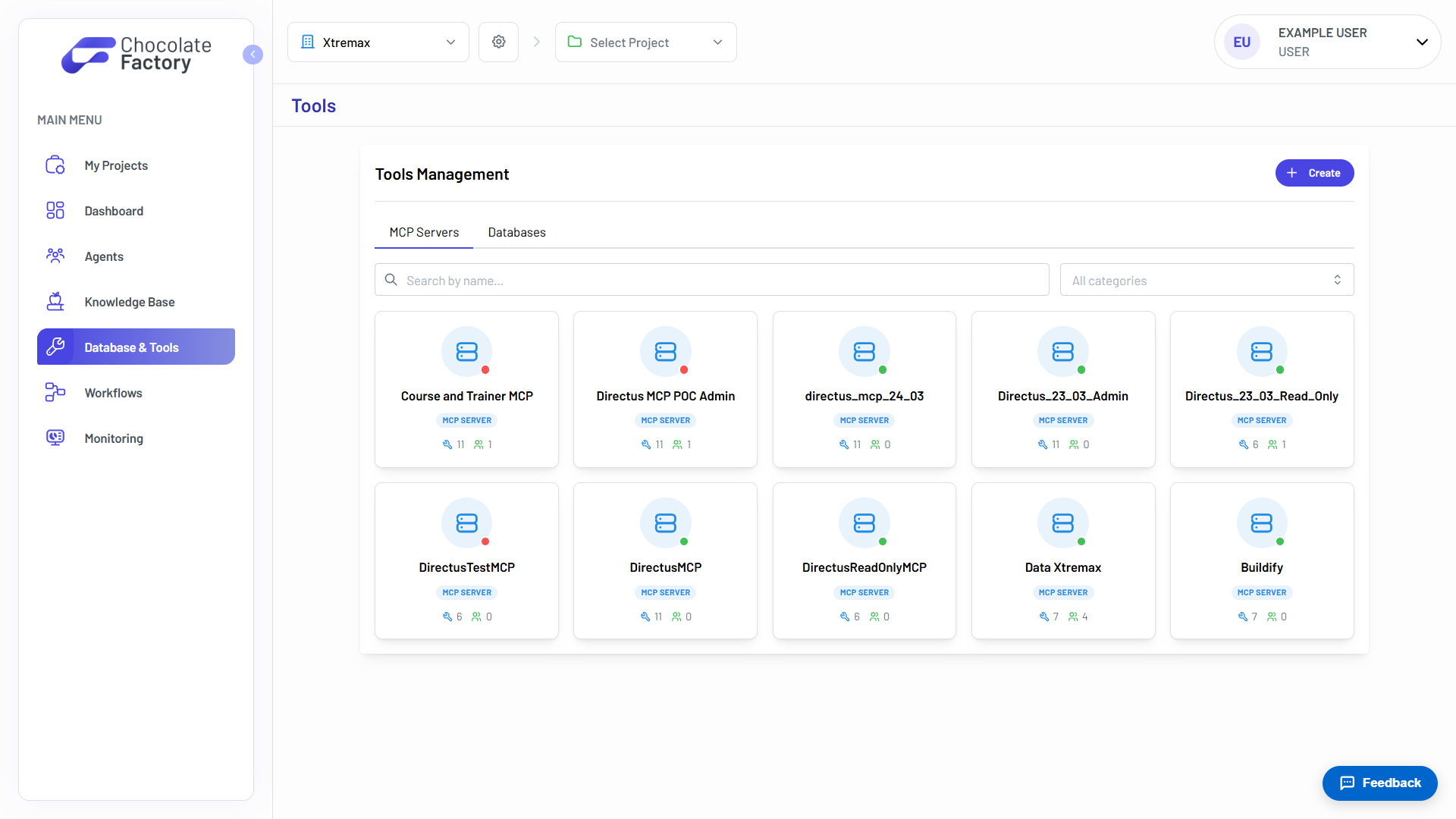
A registry of every connected server
Browse the MCP servers your organisation has connected, search them by name, and filter by category. Each card shows a live health dot, how many tools the server exposes, and how many agents use it.
- Live health per server
- Tool and agent counts
- Search and filter by category
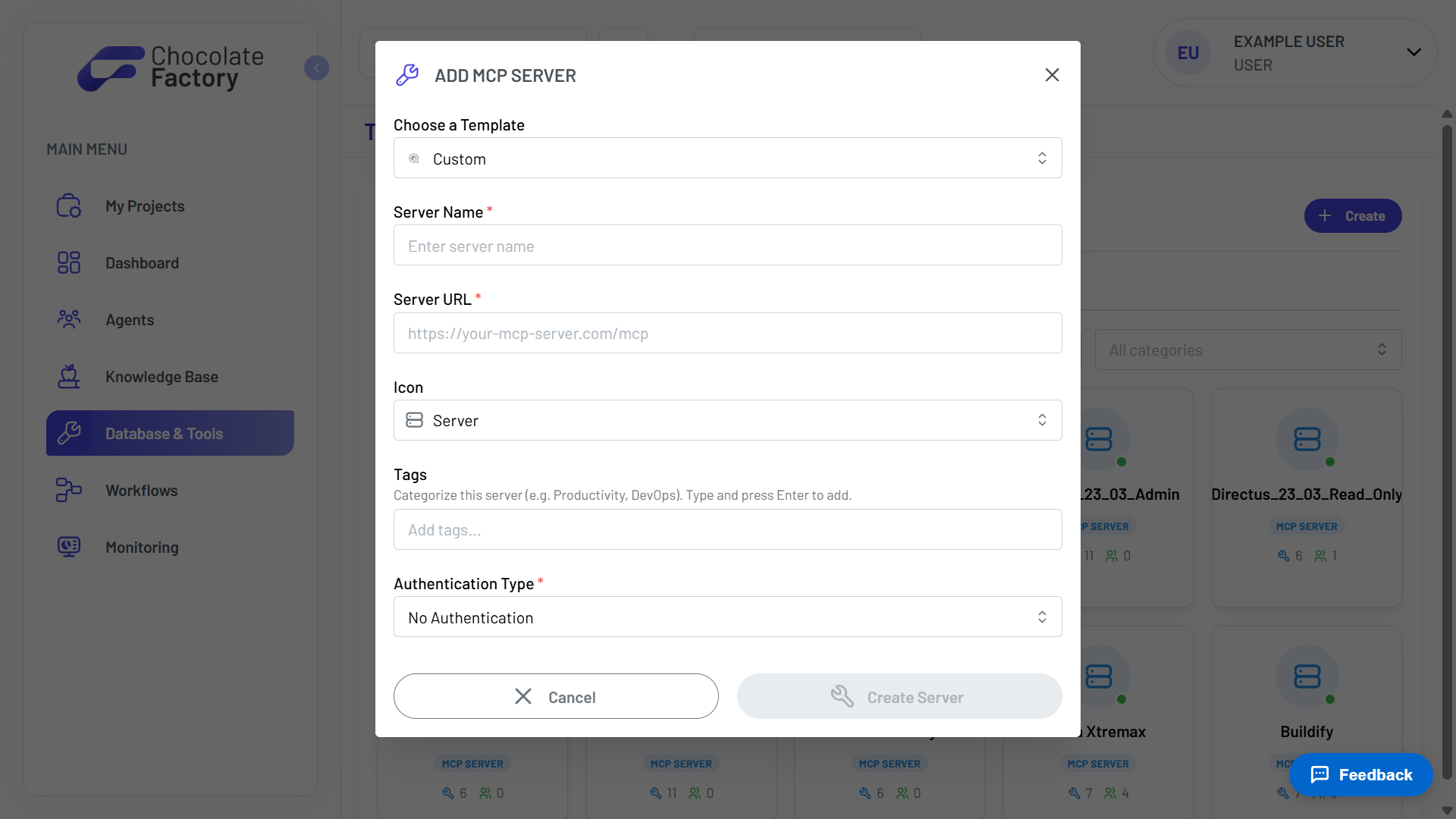
Add a server in one dialog
Start from a template or go custom. Give the server a name and URL, tag it so it is easy to find later, and choose how requests to it authenticate.
- Templates or fully custom
- Server URL and icon
- Tags for organisation
- Configurable authentication
Databases
Connect the databases your business already runs on. Postgres, Aurora Postgres, SQL Server, and MongoDB are supported, and every connection can be locked to read-only.
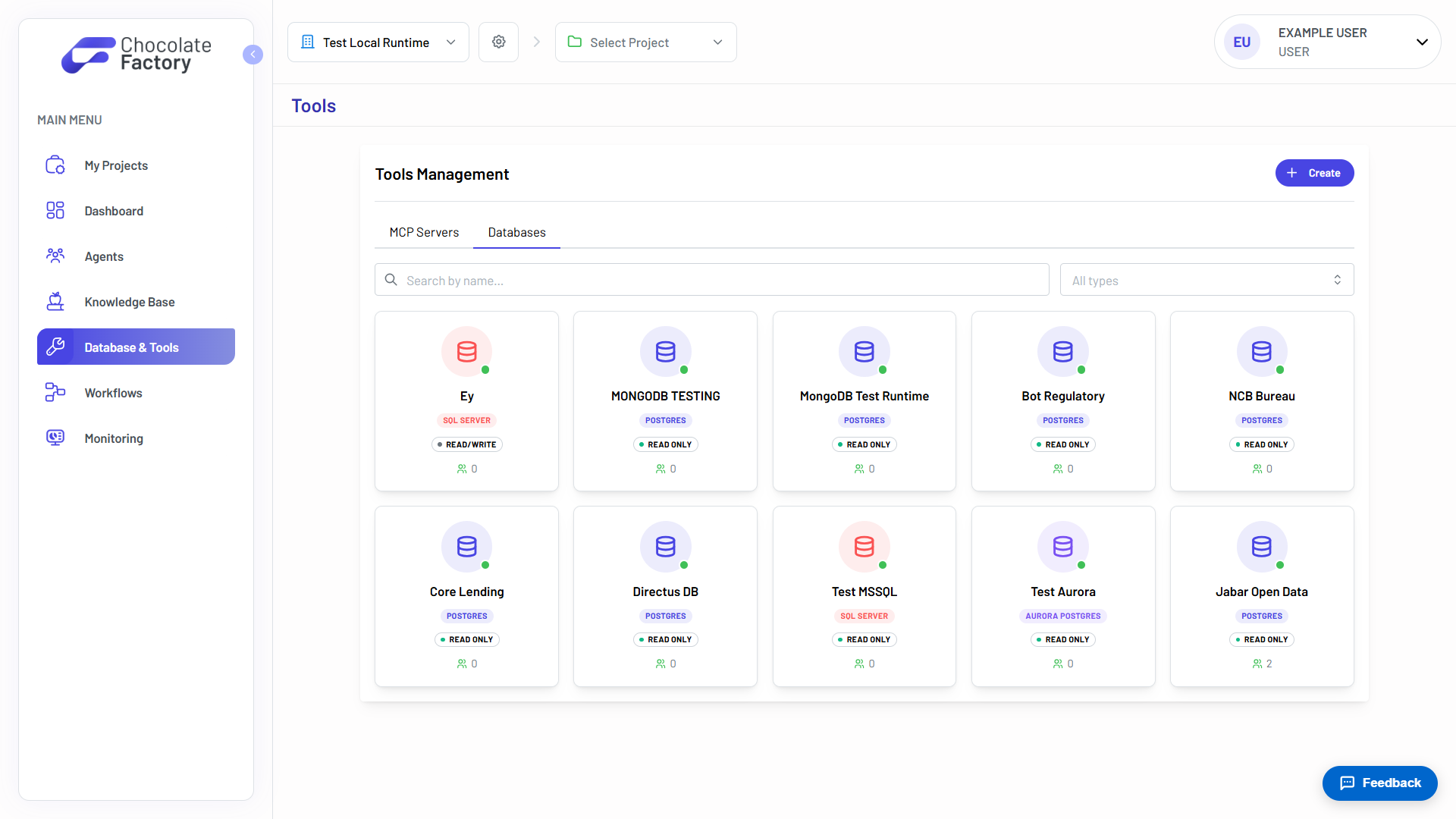
Every database an agent can reach
Each connection carries its engine type and, crucially, whether it is read-only or read/write. That badge is visible on the card, before an agent ever touches it.
- Postgres, Aurora, SQL Server, MongoDB
- Read-only or read/write, made obvious
- Filter by type, search by name
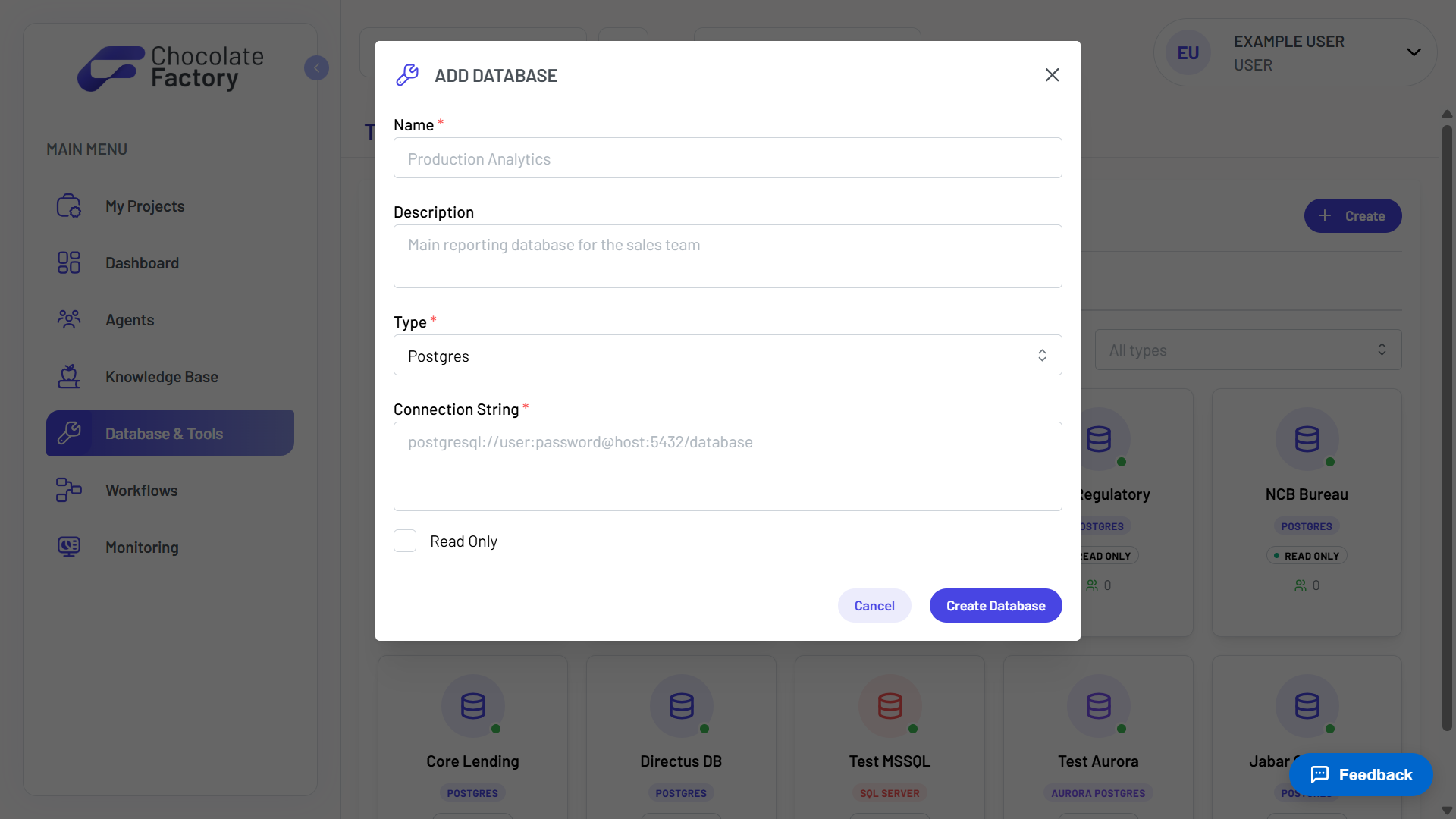
Connect one with a connection string
Name the database, describe what it holds, choose the engine, and paste a connection string. Tick Read Only and no agent can ever write to it.
- Engine type per connection
- Standard connection strings
- Read Only enforced at the connection
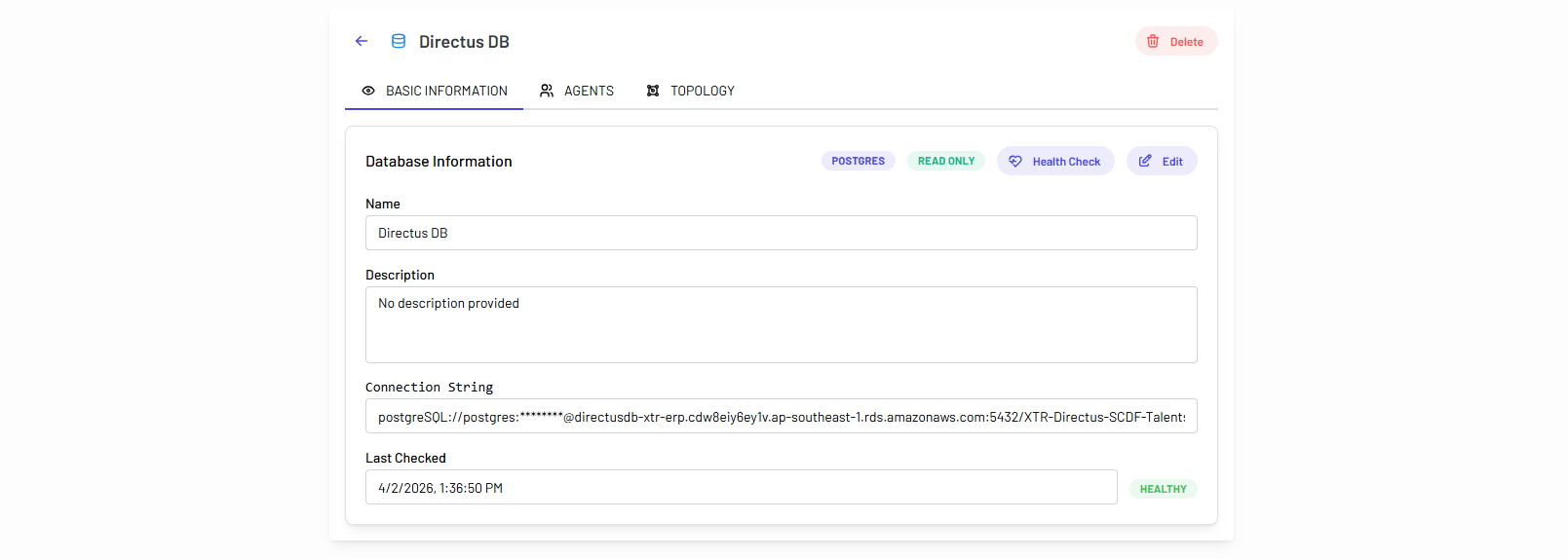
Health-check it before you trust it
Every connection has a detail view: credentials masked, a health check you can run on demand, the agents attached to it, and a topology view of what it contains.
- On-demand health check
- Credentials masked in the UI
- See which agents are attached
- Topology of the schema
Knowledge bases
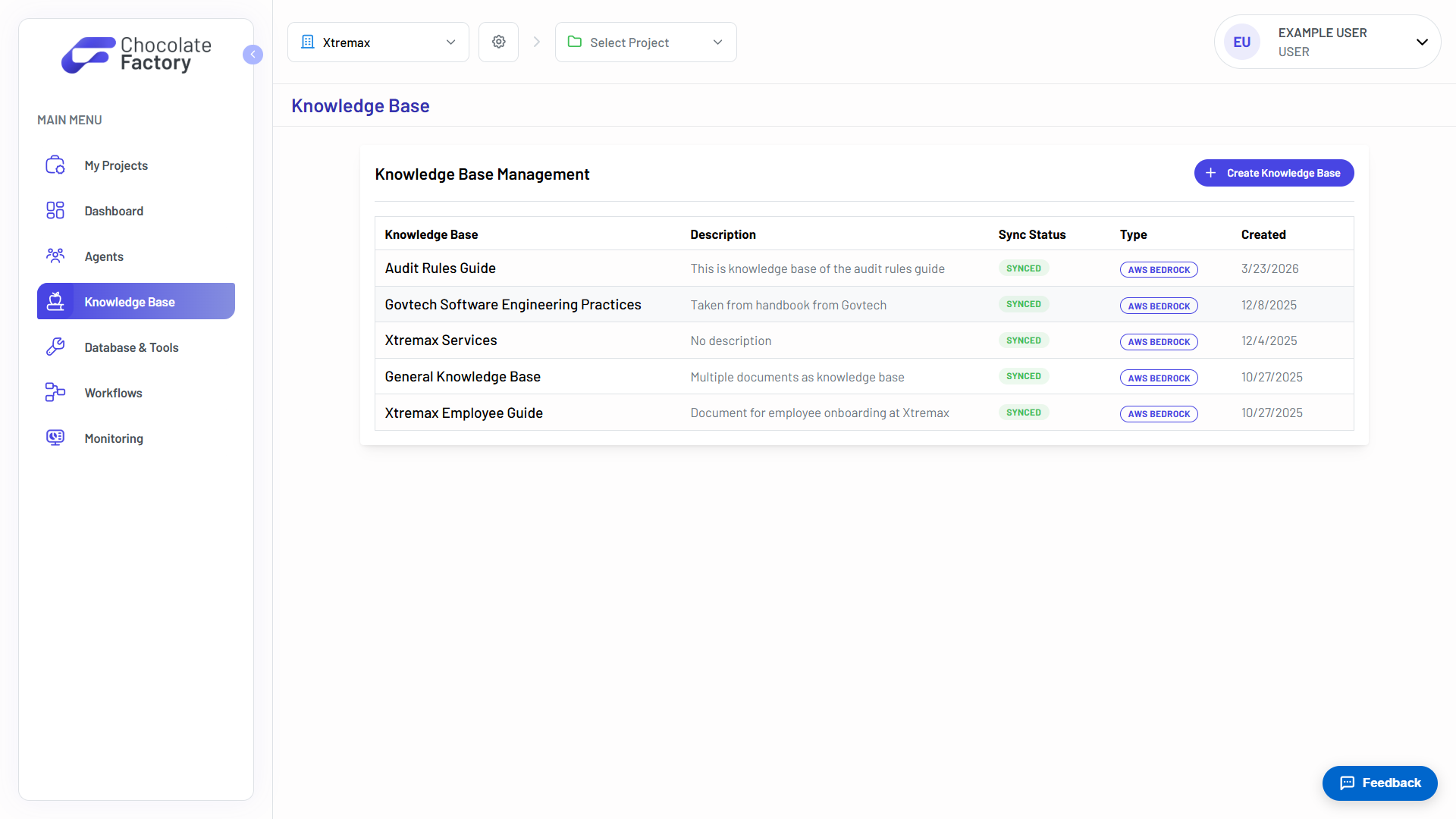
Give agents your documents. Knowledge bases are backed by AWS Bedrock, with the S3 bucket and data source provisioned for you when you create one.
Your documents, indexed and synced
Each knowledge base shows what it contains, when it was created, and whether its contents are currently in sync with the underlying store.
- Sync status per knowledge base
- Backed by AWS Bedrock
- Described for humans and agents alike
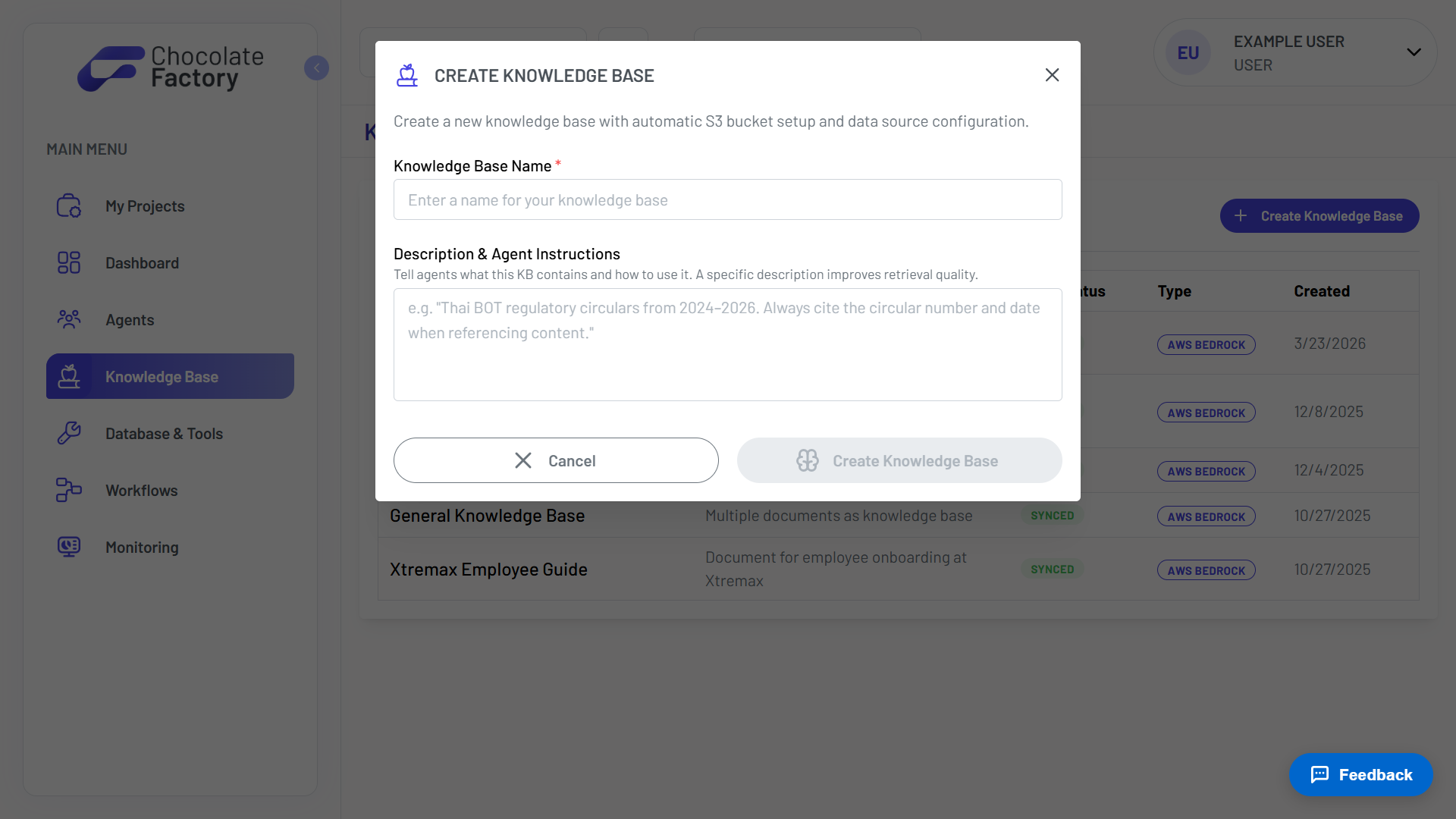
Tell the agent how to use it
Beyond a name, you write instructions for the agent: what this knowledge base contains and how to retrieve from it. A specific description measurably improves retrieval quality.
- S3 bucket set up automatically
- Data source configured for you
- Agent instructions improve retrieval
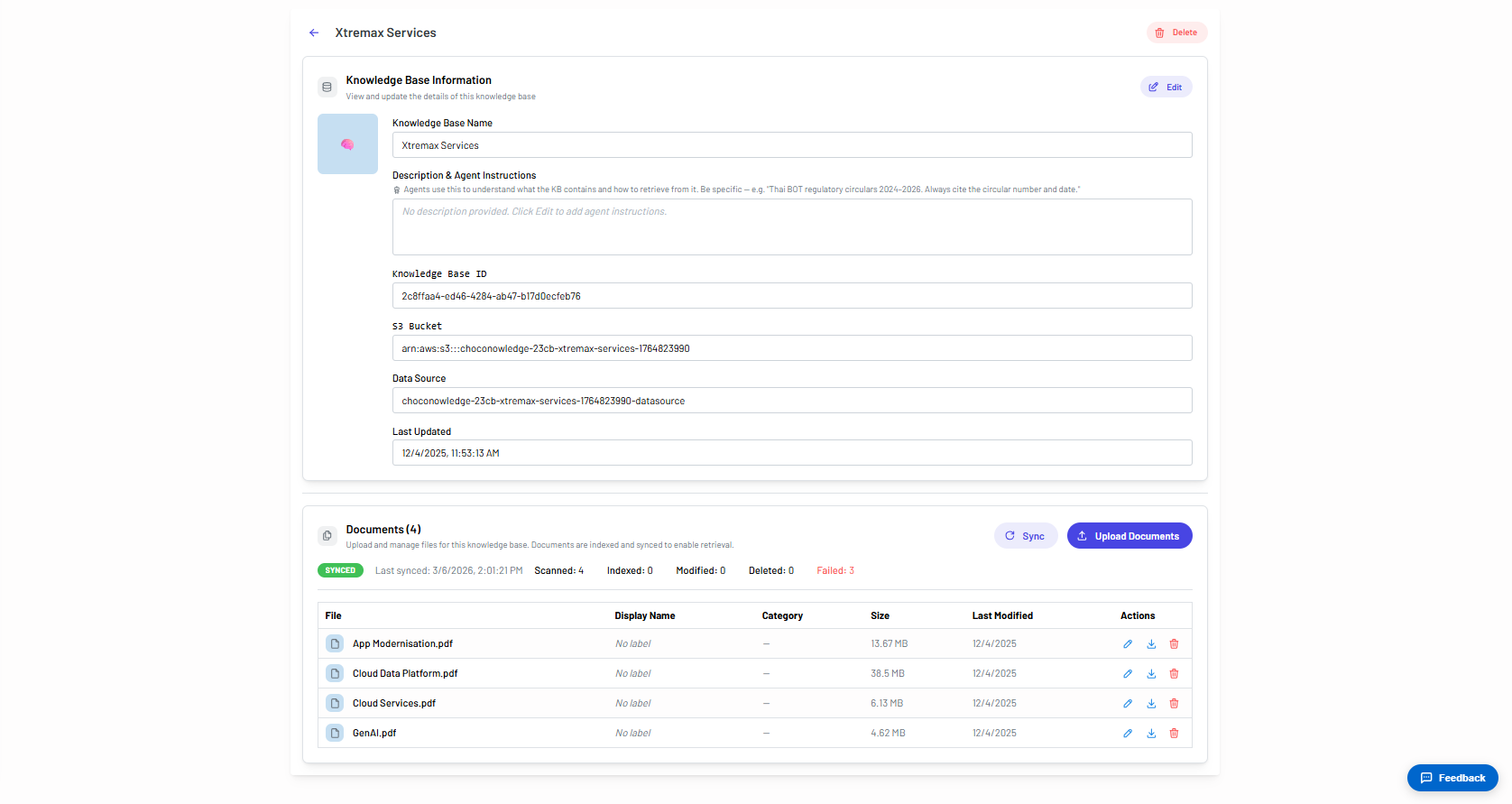
Upload, sync, and see what indexed
Upload documents and sync them into the index. The result is not a black box: you see exactly how many files were scanned, indexed, modified, deleted, and failed.
- Upload and manage documents
- Scanned, indexed, and failed counts
- Sync on demand
- Bucket and data source exposed
See Tools in action
Spin up your first agent, or walk through Chocolate Factory with our team on a live demo.