
Embed agents in your own applications
Two HTTP endpoints call your agents from outside the platform. Use /chat when you are building a real chat experience, and /execute when you want a single result back, like a normal API call.
Embedded
The same agent, inside your product
What you see in the app is what your application gets over HTTP: the same agent, the same tools, the same trace — streamed token by token, or returned as one JSON result.
- Streaming /chat responses
- One-shot /execute calls
- Traced exactly like in-app runs
Advanced
Two endpoints, two shapes of answer
Both take an agent id in the path and a credential in the header. What differs is how the answer comes back: as a stream you render token by token, or as one JSON object you can await.
/api/agents/{agentId}/chatStreaming conversations
For chat widgets, copilots, and multi-turn conversations. The response streams back as it is generated, as server-sent events; process it as a stream, not a JSON payload.
Request
curl -X POST "https://yourdomain.com/api/agents/YOUR_AGENT_ID/chat" \
  -H "Content-Type: application/json" \
  -H "cf-api-key: cf_xxxxxxxx" \
  -d '{"message":{"id":"msg-1","role":"user",
"parts":[{"type":"text","text":"Hello"}]}}'/api/agents/{agentId}/executeOne-shot execution
For forms, content generation, prompt-template execution, backend jobs, and scheduled work. A single request in, a single JSON response out, with token usage attached.
Response
{
  "text": "Generated output from the agent",
  "usage": {
    "inputTokens": 123,
    "outputTokens": 456,
    "totalTokens": 579
  },
  "finishReason": "stop"
}
Three ways to authenticate
Every request carries a credential. Which one you choose decides how much it can reach. Treat all three as secrets — an organisation key opens every agent you own.
x-agent-keyOne agent- Scoped to a single agent. The right choice for chat widgets, copilots, and integrations tied to one agent.
cf-api-keyWhole organisation- Spans every agent in the organisation. Suited to backend services, automation platforms, and multi-agent workflows.
AuthorizationSigned-in user- A bearer token, for applications where the user is already authenticated in Chocolate Factory.
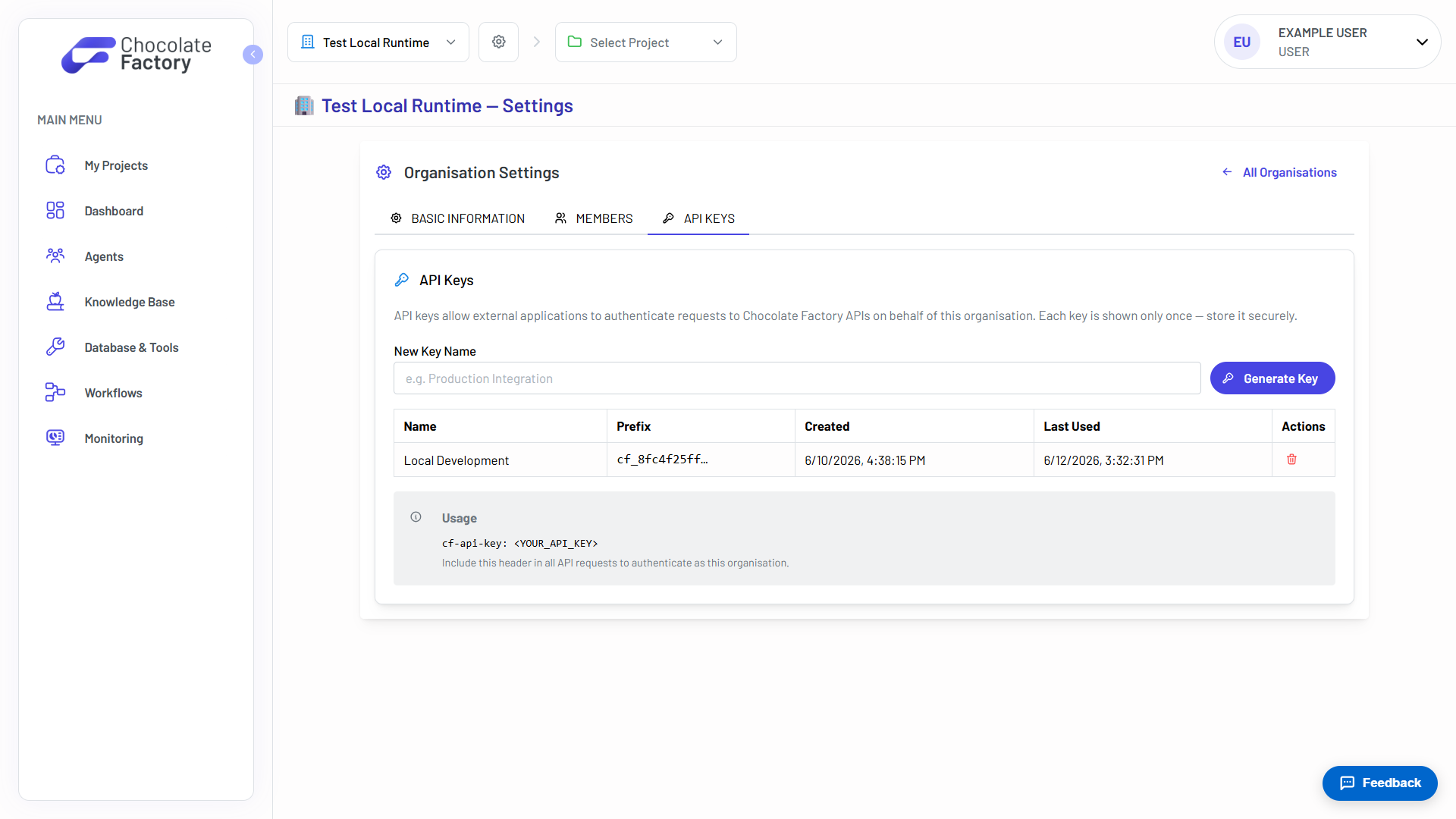
Organisation keys are generated in organisation settings, and shown exactly once.
See Chat & Execute APIs in action
Spin up your first agent, or walk through Chocolate Factory with our team on a live demo.