
Customisable AI assistants, configured not coded
An agent is an AI assistant you shape: its own model, its own role, its own knowledge, and only the tools you choose to give it. Build one in a dialog, not a sprint.
Running
Correct it once, in plain English
This is the loop the whole product is built around. The agent acts, you see every step it took, and you say what should have happened instead — that sentence becomes a line in the agent's system prompt, so the fix holds from the next run onward.
- Tool calls shown as they happen
- Corrections written as system-prompt edits
- The updated prompt applies to every future run
Refunds agent
Stripe · Postgres · Knowledge base
Observability
TreeRaw JSON1f86ff405-1ffe6fb34432Waiting for the next run…
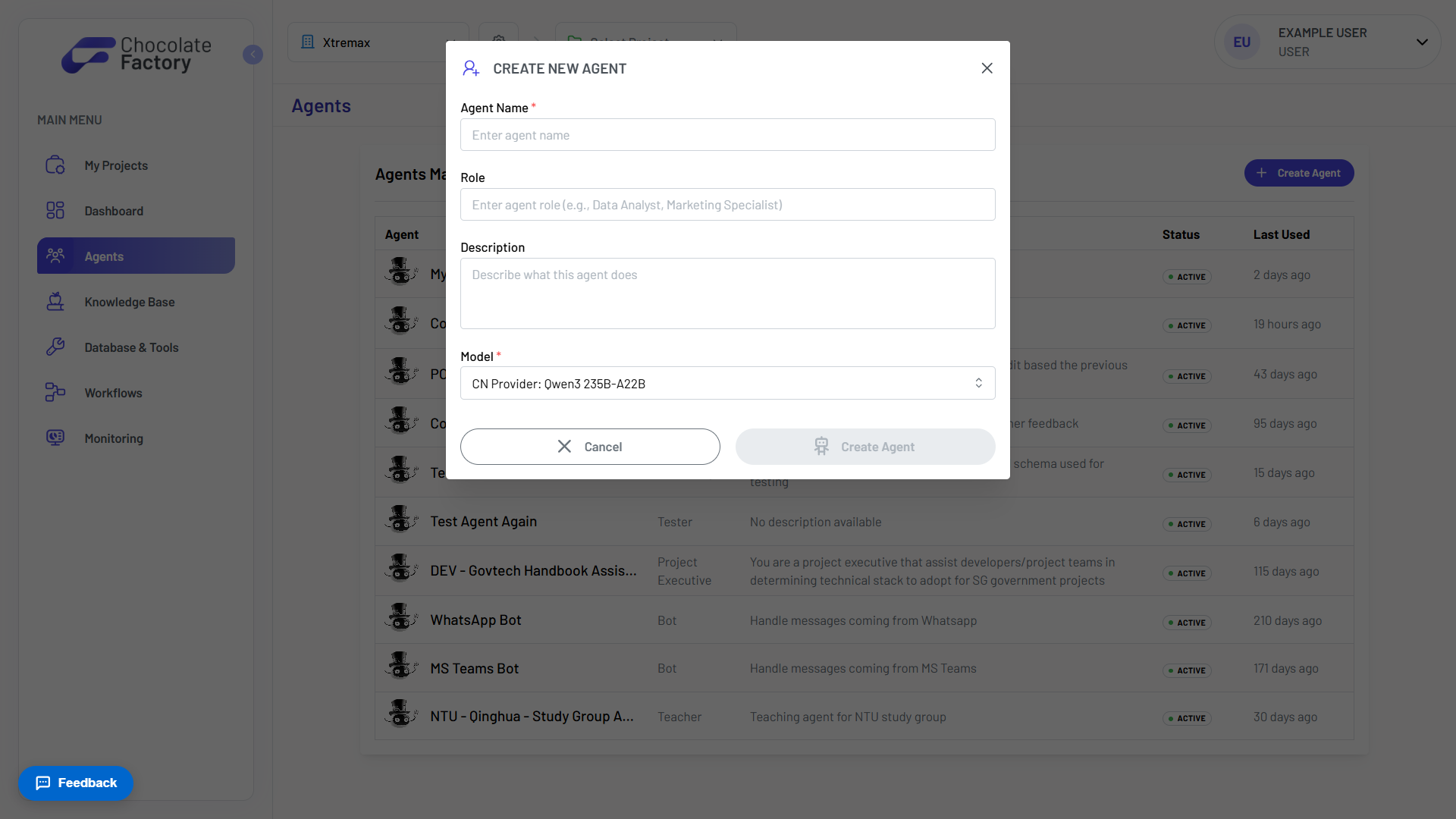
Every agent starts with a role
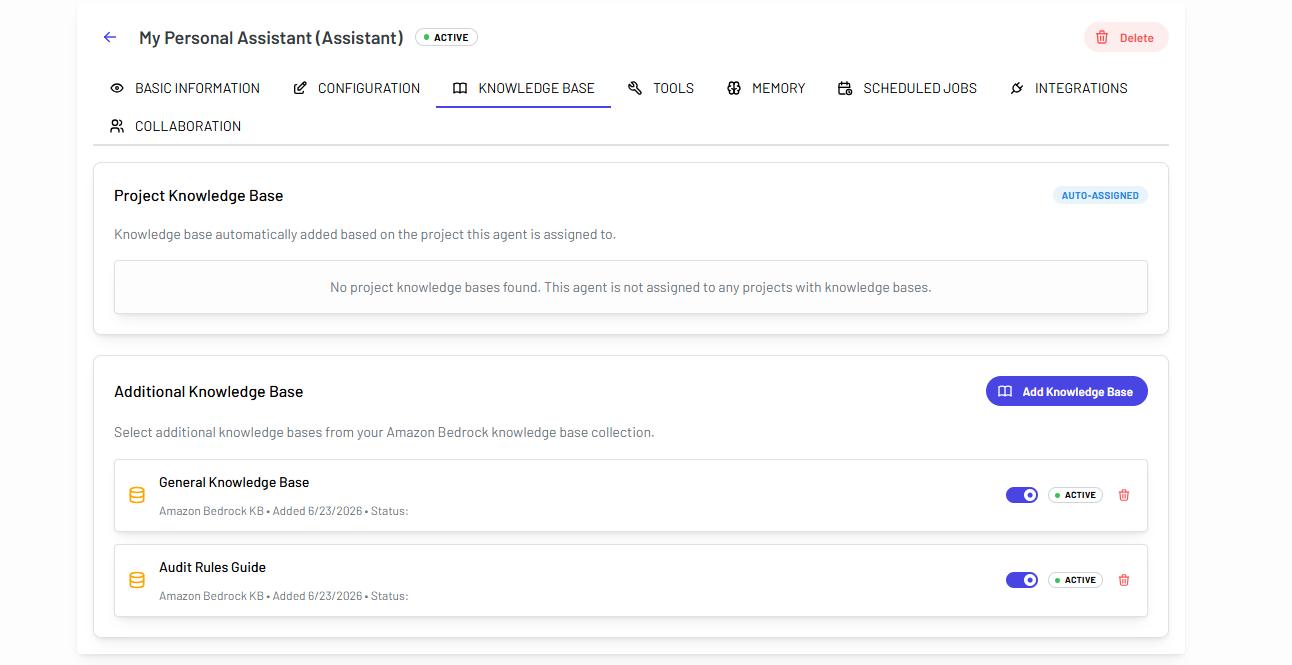
Give the agent a name, the role it plays, and a description of what it does, then pick the model that powers it. That is the whole setup: no code, no deployment step.
- Name, role, and description
- Choose the model per agent
- Active the moment it is created
Every agent, in one place
The agents page lists everything your organisation has built: the role each one plays, what it does, whether it is active, and when it was last used.
- Role and description at a glance
- Active status per agent
- Sorted by last used
Built-in tools, switched on per agent
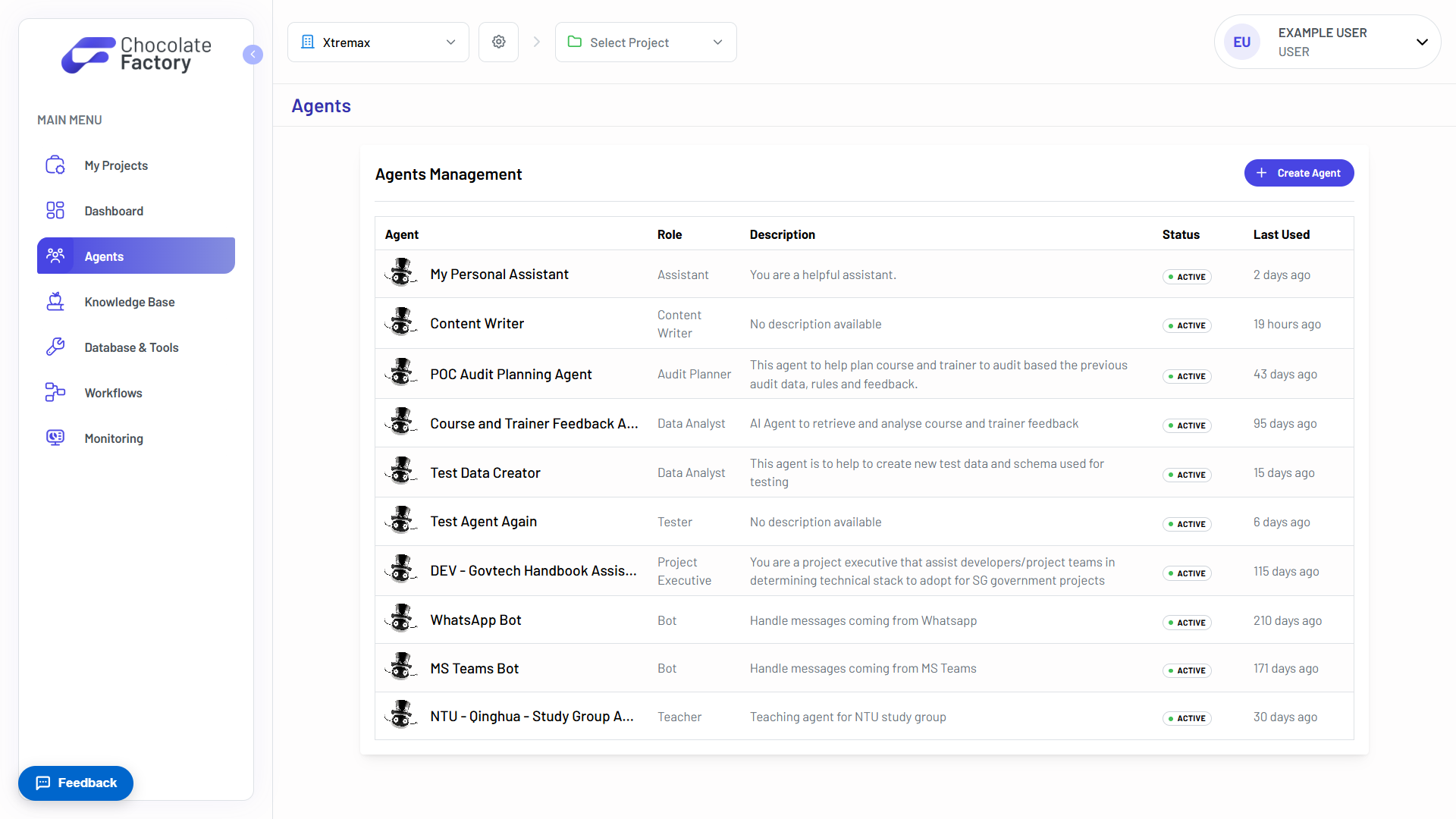
Four pre-built tools ship with the platform. Enable only the ones a given agent should have. Capability is a decision you make per agent, never a default.
- Chart Renderer for visualisations
- Code Interpreter, sandboxed
- Browser for web automation
- Document Generator: PDF, DOCX, Excel
Ground it in your knowledge
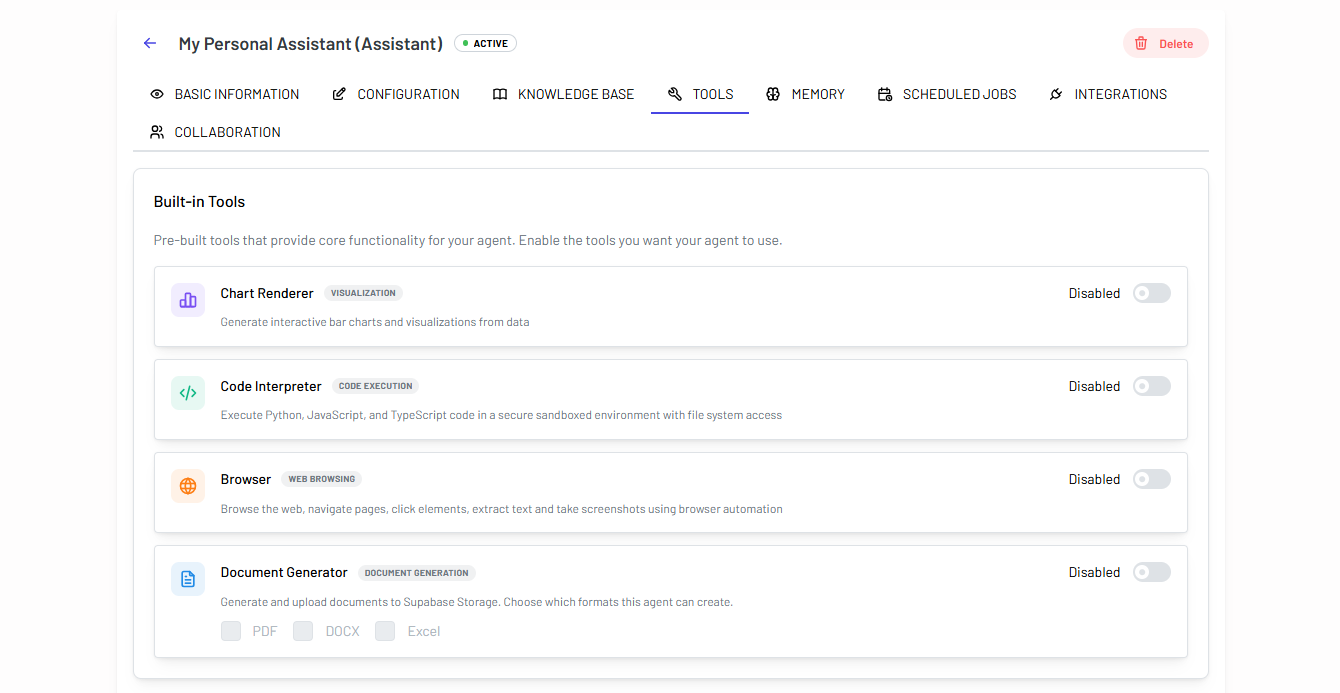
An agent inherits the knowledge base of the project it is assigned to, and you can attach more. Each source is toggled on or off independently.
- Project knowledge base, auto-assigned
- Attach additional knowledge bases
- Toggle each source on or off
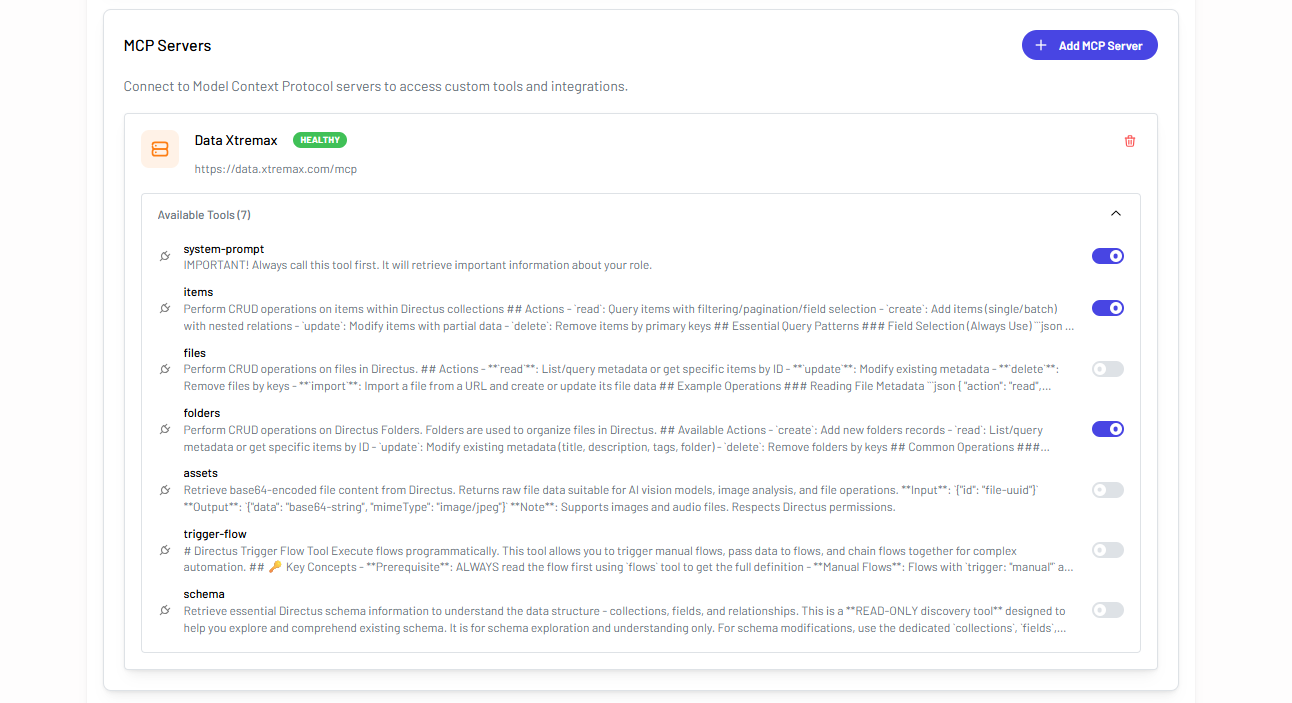
Connect a server, then pick the tools
Point an agent at a Model Context Protocol server and it discovers the tools that server exposes. You decide which of them the agent may actually call.
- Server health at a glance
- Enable discovered tools one by one
- Custom tools and integrations
Chat with your agents
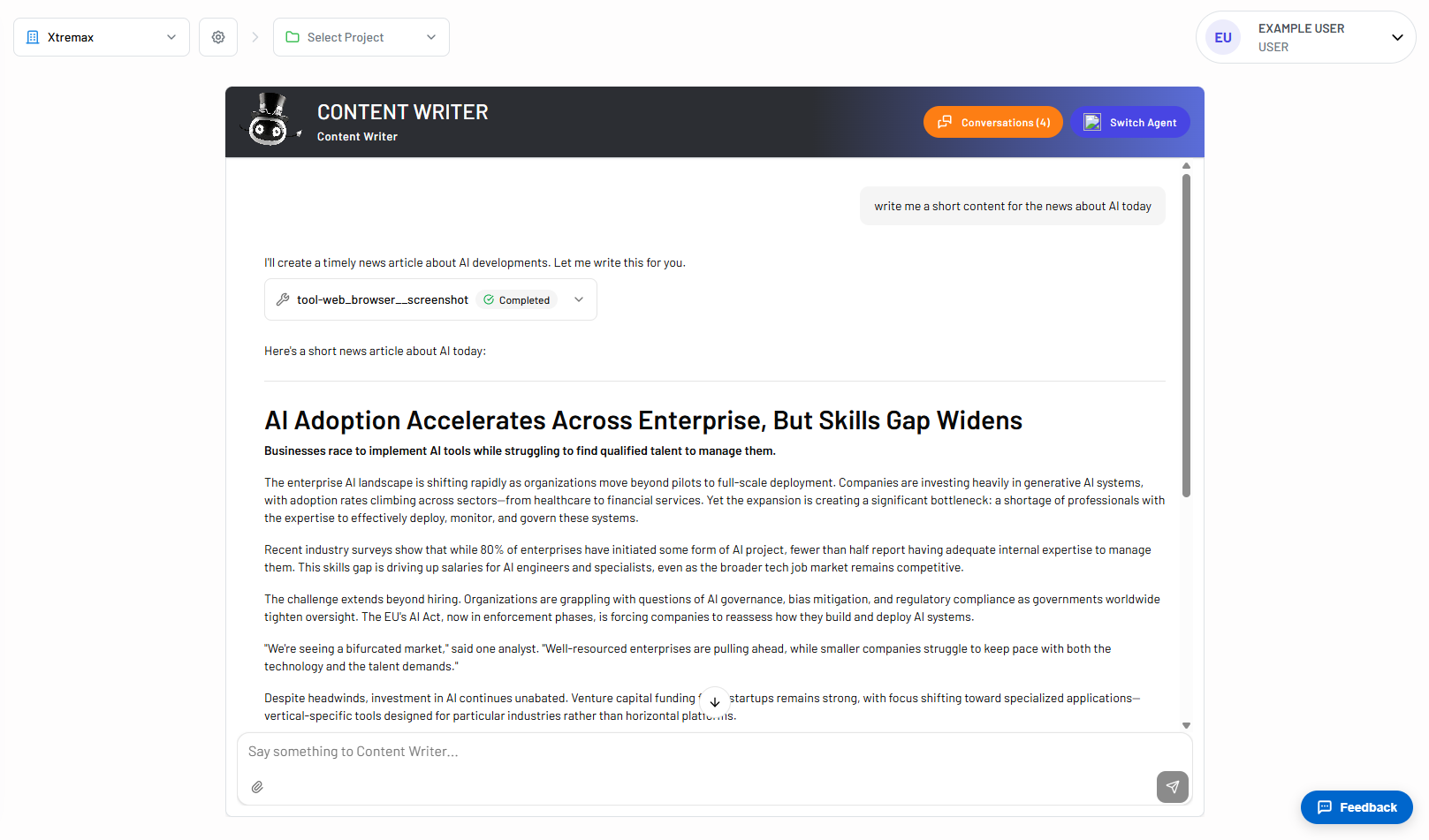
Talk to any agent from the app. Tool calls appear inline as the agent makes them, so you can see the work rather than just the answer.
- Multiple conversations per agent
- Switch agent mid-session
- Tool calls shown inline
- Attach files to a message
See Agents in action
Spin up your first agent, or walk through Chocolate Factory with our team on a live demo.